
Amazon Kinesis
Amazon Kinesis is a family of managed services for ingesting, processing, and delivering streaming data in real time. It lets you collect high-throughput data (clickstreams, telemetry, logs, IoT, video) and run near-real-time analytics, transformations, and durable delivery to storage or analytics targets.
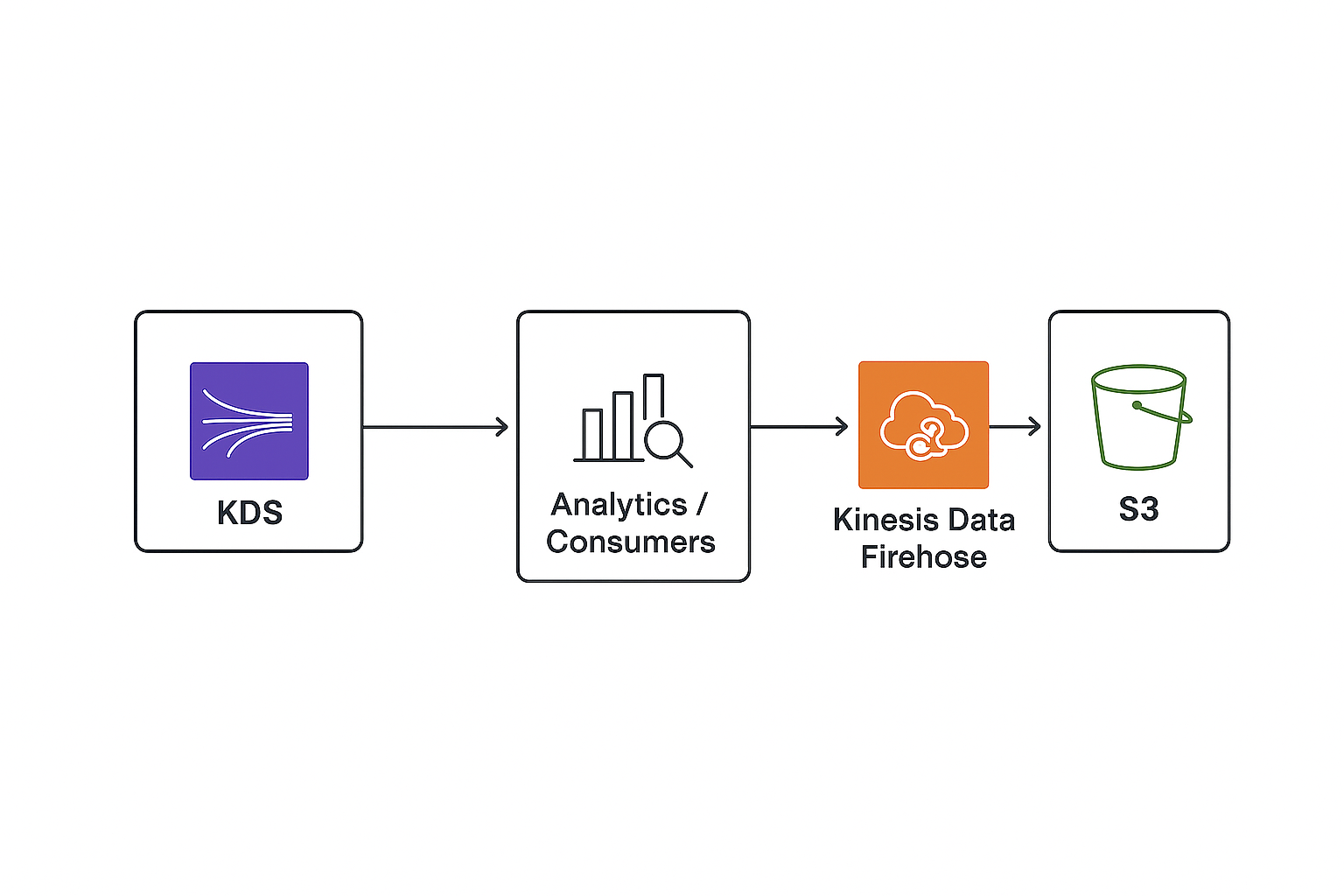
Core services in the Kinesis family
- Kinesis Data Streams (KDS) — durable, sharded stream for custom real-time consumers and replay.
- Kinesis Data Firehose — fully managed delivery stream that loads streaming data to S3, Redshift, OpenSearch, Splunk, and custom HTTP endpoints. Includes optional Lambda transforms.
- Kinesis Data Analytics — run SQL or Apache Flink apps on streaming data for in-stream analytics and aggregations.
- Kinesis Video Streams — ingest, store, and stream video/audio from devices for ML, playback, and analytics.
Key concepts (KDS-focused)
- Record: a data blob with a partition key and sequence number.
- Shard: unit of capacity and ordering. Provides fixed read/write throughput and ordering within the shard.
- Partition key: determines which shard receives a record; choose to avoid hot shards.
- Sequence number: unique per record in a shard for ordering and replay.
- Retention period: configurable retention for replay (default 24 hours; configurable up to 7 days or extended options where available).
- Enhanced fan-out: dedicated 2 MB/s per consumer for low-latency parallel reads.
- Consumers: KCL (Kinesis Client Library), enhanced fan-out consumers, or custom GetRecords consumers.
Throughput & scaling (summary)
- A shard provides a write capacity of up to 1 MB/sec or 1,000 records/sec (approx), and read capacity of up to 2 MB/sec for shared consumers.
- Scale by increasing or decreasing shard count (resharding: split/merge). Use shard auto-scaling solutions or Application Auto Scaling where appropriate.
- Use PutRecords (batch) to improve write throughput and lower per-record cost.
Typical use cases
- Real-time analytics: metrics, dashboards, fraud detection, anomaly detection.
- Clickstream and user behavior ingestion for personalization.
- Log and telemetry aggregation with near-real-time processing.
- Durable ingest and replay for stream processing and reprocessing pipelines.
- Video ingestion for ML, media processing, and storage (Kinesis Video Streams).
- Streaming ETL into data lake / warehouse via Firehose.
When to choose which Kinesis component
- Use Kinesis Data Streams when you need: multiple custom consumers, ordering guarantees per shard, replay capability, and fine-grained consumer control.
- Use Kinesis Data Firehose when you want: simple, managed delivery to S3/Redshift/OpenSearch/Splunk with minimal operational overhead.
- Use Kinesis Data Analytics when you need: SQL or Flink-based windowed aggregations and continuous queries on streams.
- Use Kinesis Video Streams for ingesting and processing video streams from devices.
Integrations
- AWS Lambda — event source mapping from KDS or Firehose transforms.
- Amazon S3, Redshift, OpenSearch, Splunk via Firehose.
- Amazon MSK / Kafka clients can interoperate where appropriate; MSK is for Kafka-native workloads.
- IAM for credentials, SSE-KMS for encryption at rest, VPC endpoints (PrivateLink) for private connectivity where supported.
Monitoring & metrics (important CloudWatch metrics)
- IncomingBytes / IncomingRecords — ingestion throughput.
- GetRecords.IteratorAgeMilliseconds — consumer lag (age of oldest unread record).
- ReadProvisionedThroughputExceeded / WriteProvisionedThroughputExceeded — throttling indicators.
- PutRecord/PutRecords success/failure counts.
- Consumer metrics for enhanced fan-out and Kinesis Data Analytics metrics.
Security & compliance
- Server-side encryption using AWS KMS (SSE-KMS).
- IAM policies and resource-level permissions.
- VPC private endpoints or NAT/VPC configurations for secure connectivity where needed.
- Data retention policies and lifecycle management for downstream storage.
Best practices
- Design partition keys to avoid hot shards; shard evenly across keys.
- Batch writes (PutRecords) and reads to improve throughput and cost-efficiency.
- Monitor iterator age to detect consumer lag and scale consumers or shards.
- Use enhanced fan-out for multiple low-latency consumers.
- Keep consumers idempotent; handle retries and duplicate records.
- Use Firehose when you don’t need custom consumer code or reprocessing.
- Plan for shard resharding automation or tooling to handle traffic growth.
Limitations & considerations
- Shard-based capacity requires active management for large, highly variable workloads.
- Ordering is per-shard only. Global ordering requires careful partition key design.
- Record size limits (typically 1 MB) — large payloads often use S3 pointers.
- Cost trade-offs: Data Streams charge per shard-hour + PUT payload units; Firehose charges per GB ingested and optional transformation costs.
Quick CLI examples
Create a Kinesis data stream:
aws kinesis create-stream --stream-name my-stream --shard-count 2
Put a record (single):
aws kinesis put-record \
--stream-name my-stream \
--partition-key user123 \
--data "$(echo -n 'hello' | base64)"
Create a Firehose delivery stream (S3 destination, simplified):
aws firehose create-delivery-stream \
  --delivery-stream-name my-firehose \
  --s3-destination-configuration RoleARN=arn:aws:iam::123456789012:role/firehose-role,BucketARN=arn:aws:s3:::my-bucket,Prefix=streams/
Alternatives & comparison
- Amazon MSK (Managed Kafka) — choose MSK for Kafka-compatible ecosystems and Kafka client compatibility.
- SQS — choose SQS where simple queue semantics and per-message durability suffice; not ideal for multi-consumer streaming or replay.
- EventBridge — choose EventBridge for event bus, schema registry, and serverless event routing with built-in SaaS integrations.