Reflection API in Java – Peeking Behind the Curtains
Ever Wondered How Java Frameworks Work Their Magic? Here's the Secret!
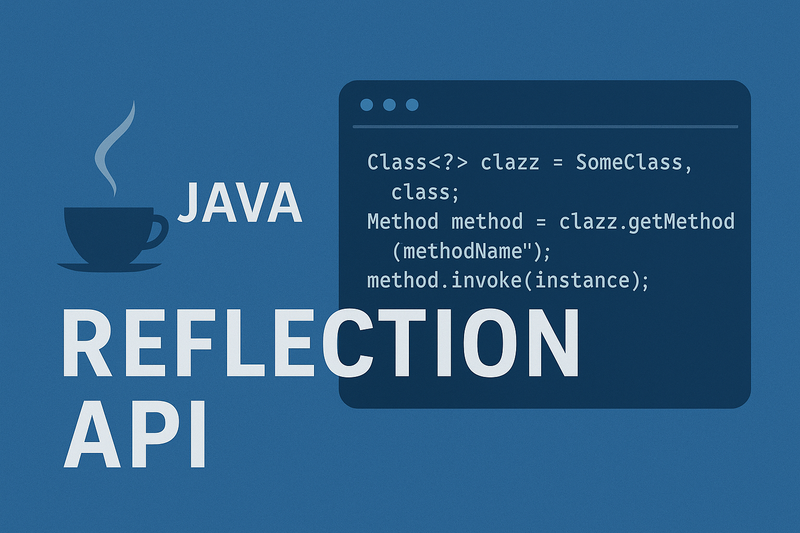
Have you ever wished you could sneak backstage at a theater to see how the actors prepare? 🎭 That’s exactly what the Reflection API in Java lets you do — it allows you to peek behind the curtains of classes and objects at runtime.
Normally, in Java, everything is very strict: you can only call methods you already know about at compile time. But with Reflection, you can discover, inspect, and even change things dynamically, while your program is running. Pretty magical, right?
What Exactly is Java Reflection?
Reflection is a set of APIs that lives in java.lang.reflect and the Class class. It gives you superpowers like:
- Finding out what methods, fields, and constructors a class has (even private ones 👀).
- Creating objects dynamically without using new.
- Invoking methods whose names you don’t know until runtime.
- Accessing annotations inside classes.
Frameworks like Spring, Hibernate, JUnit, and even your favorite IDEs rely heavily on Reflection. Without it, features like dependency injection, ORM mappings, or JUnit’s automatic test discovery would be impossible.
Core Building Blocks
- Class → entry point, holds metadata of a class.
- Method → represents methods you can inspect or call.
- Field → represents variables in a class.
- Constructor → represents constructors to create objects.
Think of these as the “toolbox” Reflection gives you to play Sherlock Holmes at runtime. 🕵️
🚀 How to Use Reflection (Cool Examples)
Getting Your Hands Dirty with Dynamic Code
1. Getting a Class Object
Class<?> c1 = String.class;                  // From class literal
Class<?> c2 = "Hello".getClass();            // From object
Class<?> c3 = Class.forName("java.util.Date"); // From class name
2. Inspecting & Changing a Class (Sneaky Mode 😎)
import java.lang.reflect.*;
class Demo {
private String message = "Hello Reflection";
public void greet(String name) {
System.out.println(message +", "+ name);
}
}
public class ReflectionDemo {
public static void main(String[] args) throws Exception {
Class<?> clazz = Demo.class;
// Access private field
Field field = clazz.getDeclaredField("message");
field.setAccessible(true); // This is the "sneaky" part!
Demo obj =new Demo();
field.set(obj, "Hi");
// Call method dynamically
Method method = clazz.getMethod("greet", String.class);
method.invoke(obj, "Java Developer");
}
}
Output:
Hi, Java Developer
Yep, we just rewrote a private variable and called a method without directly knowing it at compile time. Hacker vibes 😅
3. Creating Objects Dynamically
Object obj = Class.forName("java.util.Date")
.getDeclaredConstructor()
.newInstance();
System.out.println(obj); //Wed Sep 17 00:36:26 IST 2025
🌟 Where Do We Use Reflection?
The Hidden Hero Behind Your Favorite Frameworks
Reflection is everywhere around us, especially in frameworks:
- Spring → to inject beans dynamically.
- Hibernate → to map classes to database tables.
- JUnit → to find and run tests automatically.
- IDEs → code completion & debugging magic.
Reflection is the hidden hero behind most of the modern Java ecosystem.
⚖️ Pros & Cons of Reflection
The Double-Edged Sword of Dynamic Programming
✅ Pros
- Super flexible & powerful.
- Makes frameworks possible.
- Helps in debugging, testing, dynamic tools.
❌ Cons
- Slower (no JVM optimizations).
- Breaks encapsulation (you can poke into privates).
- Can make code harder to maintain.
Think of it like a Swiss Army knife — very handy, but you don’t want to build your entire house with it. 🏠
🎯 Final Thoughts
Use It Wisely, Young Padawan!
The Reflection API in Java is like a backstage pass — it lets you see (and sometimes change) the inner workings of classes at runtime. Used correctly, it’s incredibly powerful. Overused? It can quickly turn into a maintenance nightmare.
So the golden rule: Use Reflection when you must, but don’t make it your default tool.